
The Ultimate AI-Powered Companion for Extracting Text
Stop typing manually! Extractly turns visual content into editable text and translates it in over 100 languages instantly. Works on images, videos, and restricted sites.




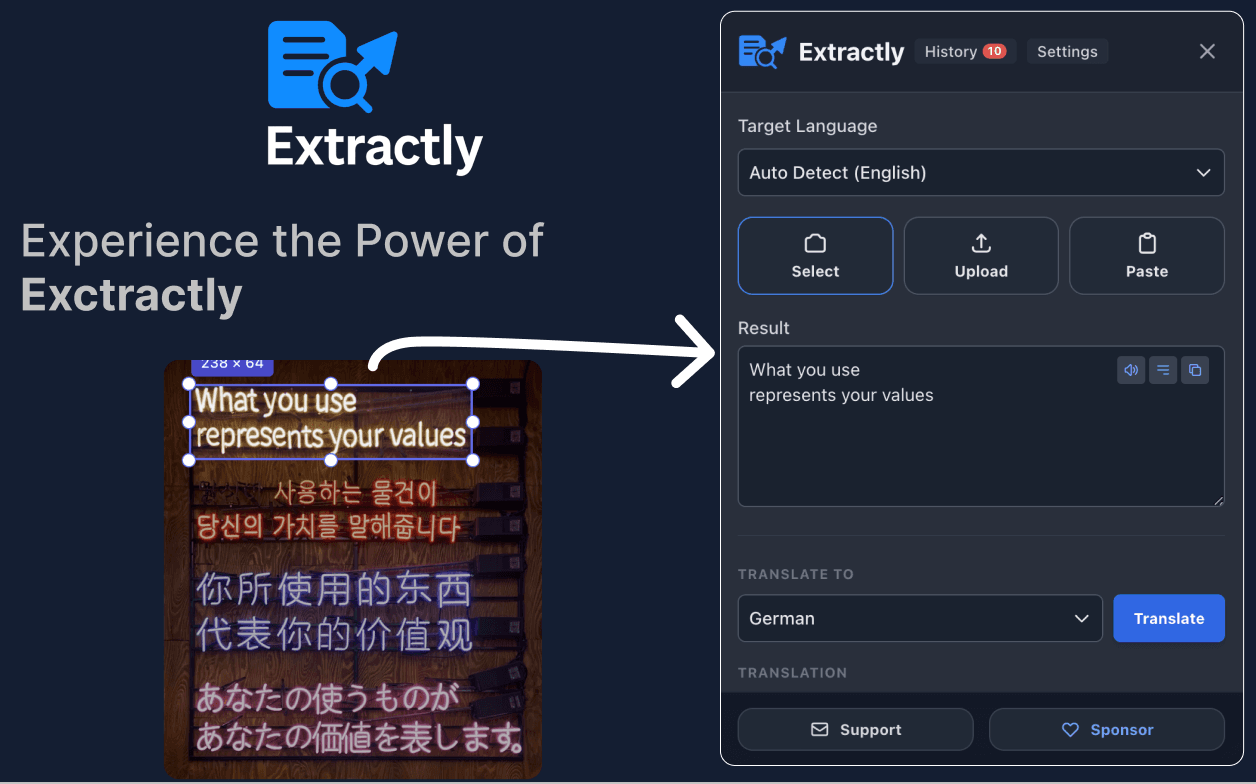
Stop typing text manually!
Struggling to extract text from images, videos, PDFs, and restricted sites like YouTube or Instagram?
It's tedious work that interrupts your flow. Extractly eliminates the friction so you can focus on being productive.
Features
Everything you need to extract and translate text
Advanced AI OCR
Powered by neural-network technology (Tesseract.js and LSTM) to recognize text with incredible accuracy from any image or video.
Instant Translation
Translate extracted text into around 100 languages instantly using built-in Chrome AI.
Lightning Fast
Persistent engine technology means extractions happen in seconds, saving you valuable time.
Works Where Others Fail
Grab subtitles, lyrics, or notes directly from YouTube videos. Bypasses CSP restrictions on sites like Instagram and LinkedIn.
Privacy First
All processing happens locally in your browser. Plus, keep track of your previous extractions with a built-in history log.
Testimonials
Loved by developers
FAQ
Frequently asked questions
Is Extractly free?
Yes, Extractly comes fully free. Unlike other extensions that fail on complex sites and lock features behind premium tiers, we provide a premium experience at no cost.
Does it work on YouTube and restricted sites?
Yes! Extractly uses a specialized architecture to bypass CSP restrictions, making it work perfectly on sites like YouTube, Instagram, and LinkedIn.
Is my data sent anywhere?
No. Privacy First: All processing happens locally in your browser. Your data never leaves your device.
How fast is the text extraction?
Lightning Fast: Persistent engine technology means extractions happen in seconds, allowing you to instantly copy or translate the text.
How does the instant translation work?
After extracting text, you can translate it into around 100 languages instantly using built-in Chrome AI.
Can I see my past extractions?
Absolutely. Extractly includes a built-in history management feature so you can keep track of your previous extractions.
Ready to extract like a pro?
Install Extractly today and start extracting like a pro. Free, secure, and lightning-fast.